
Migrating a Speech-to-Text Playground to Python SDK v6: A Complete Guide
You built a speech-to-text prototype six months ago. It works, your team has been using it, and now the platform you built on has released Python SDK v6 with a significantly revised API, better async support, and new features you actually want. The catch: your existing code does not run against v6. The import paths changed. The client initialization is different. Some method signatures moved. And you need to migrate without breaking the workflow your team depends on.
SDK migrations are one of those tasks that feel straightforward until you are in the middle of them. The changelog lists what changed but not always why, and the examples in the new documentation assume you are starting fresh rather than migrating an existing codebase. If you have a speech-to-text playground or prototype you need to move to Python SDK v6, this guide covers the complete migration path: what changed, why it changed, how to update your code, and how to validate that everything is working correctly after the move.
The patterns here apply broadly across the major Python-based speech-to-text SDKs, including OpenAI's Python library, Google Cloud Speech, Microsoft Azure Cognitive Services, and AssemblyAI, all of which have released significant SDK version updates in the past year with breaking changes requiring migration effort.
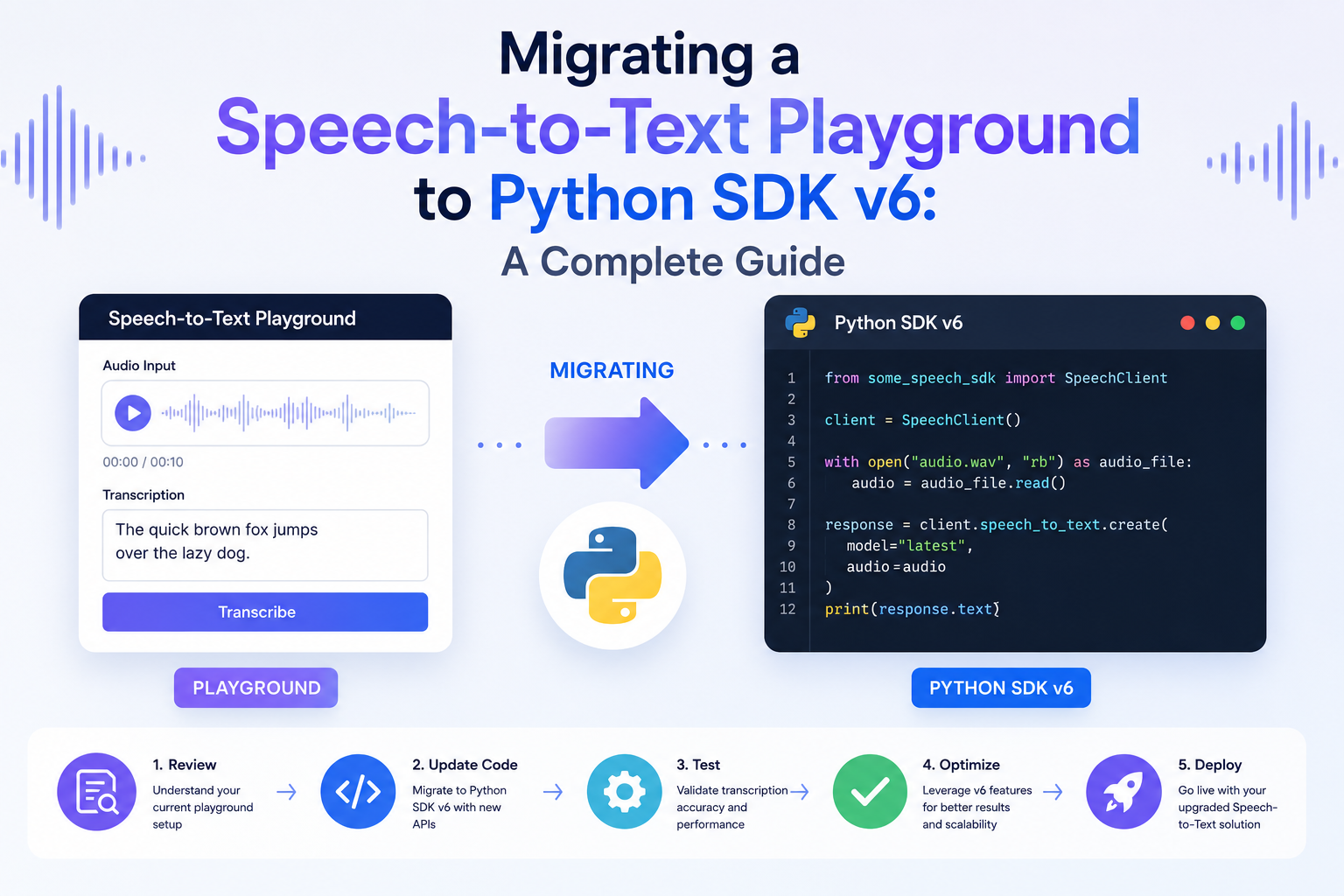
Why SDK v6 Is a Breaking Change and What Drove the Redesign
Before writing any migration code, understanding why the SDK changed helps you anticipate the pattern of what changed. Most major v6 SDK redesigns in the speech-to-text space were driven by the same cluster of motivations.
Async-First Architecture
Earlier SDK versions were designed primarily for synchronous use and added async support as an afterthought, resulting in awkward parallel class hierarchies where synchronous and asynchronous clients had subtly different interfaces. SDK v6 redesigns typically build async as the primary pattern and derive the synchronous interface from it, resulting in a cleaner, more consistent API surface that is easier to use correctly.
For speech-to-text specifically, async matters because real-time streaming transcription is inherently asynchronous. Audio arrives as a stream, partial results come back continuously, and blocking on individual transcription responses creates the latency problems that real-time applications are specifically trying to avoid. SDK v6's async-first approach makes streaming transcription significantly cleaner to implement.
Typed Response Objects
Earlier SDK versions often returned raw dictionaries from API calls, requiring users to know the exact key names and nest structures of each response type. SDK v6 implementations consistently shift to typed response objects with documented attributes, enabling IDE autocompletion, static type checking with mypy, and significantly better error messages when you access a field that does not exist.
This change breaks any code that accessed response data using dictionary-style key access like result["text"] or response["results"][0]["alternatives"][0]["transcript"]. In v6, these become attribute accesses like result.text or response.results[0].alternatives[0].transcript.
Consolidated Configuration
V5 and earlier SDKs often scattered configuration across multiple places: some parameters set at client initialization, some at method call time, and some through environment variables with no clear precedence hierarchy. SDK v6 consolidates configuration into a more consistent pattern, typically with a single client initialization that accepts all authentication and connection parameters, and method-level parameters only for request-specific settings.
The breaking changes in SDK v6 are almost all improvements. They are breaking because they fix things that were genuinely wrong with the previous design. Understanding that helps you approach the migration as cleaning up technical debt rather than fighting against change.
Pre-Migration Preparation: What to Do Before Touching Your Code
Rushing into the migration without preparation is the most common way to create a difficult, time-consuming process. A few hours of preparation upfront saves many hours of debugging later.
Audit Your Existing SDK Usage
Before installing v6, run a complete audit of every place your existing codebase uses the speech-to-text SDK. A simple grep is the fastest way to start:
# Find all files importing the SDK
grep -r "import speech" . --include="*.py" -l
grep -r "from google.cloud import speech" . --include="*.py" -l
grep -r "import openai" . --include="*.py" -l

# Find all method calls on the client
grep -rn "\.transcribe\|\.recognize\|\.stream" . --include="*.py"
Build a list of every import, every client initialization call, every API method call, and every response attribute access. This inventory becomes your migration checklist.
Create a Test Corpus
Before migrating, collect a set of representative audio files that cover the full range of inputs your playground handles: different accents, varying background noise levels, different audio formats, and edge cases you know your system encounters. These files become your regression test corpus. After migration, run all of them and compare transcription outputs against the pre-migration results to confirm the upgrade did not change accuracy or introduce new error conditions.
A test corpus of 50 to 100 representative audio samples is the minimum for confident regression validation after a major SDK migration. For production-adjacent playground code, use real audio from your actual use cases rather than synthetic test recordings.
Set Up a Parallel Environment
Do not upgrade in place. Create a new virtual environment with v6 installed and copy your code there. This lets you run the v5 and v6 versions side by side during the migration, compare outputs, and fall back to the working version instantly if you need to. Python virtual environments make this straightforward:
python -m venv stt_v6_migration
source stt_v6_migration/bin/activate
pip install openai==1.x.x  # or your target SDK at v6
# Copy your playground code to migration directory
cp -r ./stt_playground ./stt_playground_v6
The Core Migration: Client Initialization and Authentication
Client initialization is almost always the first thing that breaks when you upgrade. The pattern of how you create and configure the API client changed significantly in most v6 releases.
OpenAI Python SDK: v0.x to v1.x Migration Pattern
OpenAI's Python library shift from v0.x to v1.x (their effective breaking version release) changed client initialization from module-level configuration to an explicit client object:
# OLD pattern (v0.x)
import openai
openai.api_key = os.getenv("OPENAI_API_KEY")

response = openai.Audio.transcribe(
    model="whisper-1",
    file=audio_file
)
print(response["text"])  # Dictionary access

# NEW pattern (v1.x / SDK v6 equivalent)
from openai import OpenAI

client = OpenAI(api_key=os.getenv("OPENAI_API_KEY"))
# Or simply: client = OpenAI()  # reads OPENAI_API_KEY automatically

transcription = client.audio.transcriptions.create(
    model="whisper-1",
    file=audio_file
)
print(transcription.text)  # Attribute access on typed object
Google Cloud Speech-to-Text v2 Client Pattern
Google Cloud Speech released its v2 API with a substantially redesigned Python client. The key changes affect both client instantiation and the request/response object structure:
# OLD Google Speech v1 pattern
from google.cloud import speech_v1 as speech

client = speech.SpeechClient()
config = speech.RecognitionConfig(
    encoding=speech.RecognitionConfig.AudioEncoding.LINEAR16,
    sample_rate_hertz=16000,
    language_code="en-US"
)
audio = speech.RecognitionAudio(content=audio_content)
response = client.recognize(config=config, audio=audio)
for result in response.results:
    print(result.alternatives[0].transcript)

# NEW Google Speech v2 pattern
from google.cloud.speech_v2 import SpeechClient
from google.cloud.speech_v2.types import cloud_speech

client = SpeechClient()
config = cloud_speech.RecognitionConfig(
    auto_decoding_config=cloud_speech.AutoDetectDecodingConfig(),
    language_codes=["en-US"],
    model="latest_long"
)
request = cloud_speech.RecognizeRequest(
    recognizer=f"projects/{PROJECT_ID}/locations/global/recognizers/_",
    config=config,
    content=audio_content
)
response = client.recognize(request=request)
for result in response.results:
    print(result.alternatives[0].transcript)
Microsoft Azure Speech SDK Python
Microsoft Azure Cognitive Services Speech SDK migration primarily involves changes to the SpeechConfig constructor and new properties for features like language identification and conversation transcription:
import azure.cognitiveservices.speech as speechsdk

# Configuration now uses keyword-only arguments in v6
speech_config = speechsdk.SpeechConfig(
    subscription=os.getenv("AZURE_SPEECH_KEY"),
    region=os.getenv("AZURE_SPEECH_REGION")
)
speech_config.speech_recognition_language = "en-US"

audio_config = speechsdk.audio.AudioConfig(filename="audio.wav")
speech_recognizer = speechsdk.SpeechRecognizer(
    speech_config=speech_config,
    audio_config=audio_config
)
result = speech_recognizer.recognize_once_async().get()
if result.reason == speechsdk.ResultReason.RecognizedSpeech:
    print(result.text)
Migrating Streaming Transcription to Async Patterns
Streaming transcription is where the async-first redesign of SDK v6 creates the most significant code changes. If your playground includes any real-time or streaming transcription functionality, this section is the most important part of your migration.
The Old Threading Pattern and Why It Was Problematic
Earlier SDK versions typically handled streaming through callback-based or threading-based patterns that were difficult to compose with async application code. A common pattern looked like this:
# OLD callback-based streaming (problematic with async frameworks)
def on_result(result):
    print(result.transcript)

def on_error(error):
    print(f"Error: {error}")

stream = client.streaming_recognize(
    config=config,
    audio_generator=audio_chunks()
)
stream.on_result = on_result
stream.on_error = on_error
stream.start()
stream.wait_until_done()
The New Async Generator Pattern
SDK v6 streaming typically uses async generators that integrate cleanly with Python's asyncio ecosystem:
import asyncio

async def stream_transcription(audio_source):
    async with client.audio.stream() as stream:
        async for chunk in audio_source:
            await stream.send(chunk)

        await stream.finalize()

        async for result in stream.results():
            if result.is_final:
                print(f"Final: {result.text}")
            else:
                print(f"Partial: {result.text}", end="\r")

asyncio.run(stream_transcription(microphone_stream()))
Adapting Existing Synchronous Code to Work With Async SDK
If your playground is built on synchronous code and you need to call async SDK methods from it, you have two clean options. The first is converting the entire calling path to async, which is the right long-term approach for any streaming application. The second is using asyncio.run() as a bridge for isolated async calls within otherwise synchronous code:
import asyncio

def transcribe_file_sync(audio_path: str) -> str:
    """Synchronous wrapper for async transcription."""
    async def _transcribe():
        with open(audio_path, "rb") as f:
            result = await client.audio.transcriptions.create(
                model="whisper-1",
                file=f
            )
        return result.text

    return asyncio.run(_transcribe())

# Use in existing synchronous code
text = transcribe_file_sync("interview.wav")
print(text)
Do not use asyncio.run() inside an already-running event loop. If your framework (FastAPI, Django async, Jupyter) already runs an event loop, use await directly instead.
Response Handling: From Dicts to Typed Objects
Every place your code accesses transcription results needs to be updated for the typed object pattern. This is often the most widespread change in terms of lines affected.
Finding All Response Access Patterns
Your pre-migration grep audit should have captured most response access patterns. Common patterns to update across different SDK types:
# OLD patterns to find and replace
response["text"]                          # becomes: response.text
response.get("text", "")                  # becomes: response.text or ""
result["results"][0]["transcript"]        # becomes: result.results[0].transcript
result["words"][i]["word"]                # becomes: result.words[i].word
result["words"][i]["start_time"]          # becomes: result.words[i].start_time
result["confidence"]                      # becomes: result.confidence
result.get("language_code", "en-US")      # becomes: result.language_code or "en-US"
Handling Optional Fields Safely
Dictionary-style access often used response.get("field", default) to safely handle missing fields. With typed objects, you use Python's built-in optional attribute handling:
# Safe optional field access with typed objects
confidence = result.confidence if result.confidence is not None else 0.0

# Using Python's walrus operator for cleaner optional handling
if (words := result.words) and len(words) > 0:
    first_word = words[0].word
    start_time = words[0].start_offset.total_seconds()

# For word-level timestamps in Google Speech v2
for word_info in result.words:
    word = word_info.word
    start = word_info.start_offset.total_seconds()
    end = word_info.end_offset.total_seconds()
    print(f"{word}: {start:.2f}s to {end:.2f}s")
Serializing Typed Response Objects
If your playground stores or logs transcription results as JSON, the serialization approach changes slightly with typed objects. Most SDK v6 typed objects provide a model_dump() or to_dict() method for this purpose:
import json

# OpenAI SDK v1+ uses model_dump() for Pydantic-based objects
transcription = client.audio.transcriptions.create(
    model="whisper-1",
    file=audio_file,
    response_format="verbose_json"  # Request full metadata
)

# Serialize to dict/JSON
result_dict = transcription.model_dump()
json.dumps(result_dict, indent=2)

# Or access the raw JSON string directly
result_json = transcription.model_dump_json(indent=2)
New Features in SDK v6 Worth Enabling After Migration
Once your existing code is running against v6, these are the features worth adding that were not available or were significantly harder to use in previous SDK versions.
Word-Level Timestamps and Confidence
Word-level metadata is significantly easier to request and parse in v6. Most SDKs now expose this through a simple parameter rather than requiring custom response format configuration:
# OpenAI: request verbose JSON for word timestamps
transcription = client.audio.transcriptions.create(
    model="whisper-1",
    file=audio_file,
    response_format="verbose_json",
    timestamp_granularities=["word"]
)

for word in transcription.words:
    print(f"{word.word}: {word.start:.2f}s to {word.end:.2f}s")
Speaker Diarization
Speaker diarization, identifying who said what in a multi-speaker recording, is much more accessible in v6 SDKs. For Google Cloud Speech v2, enabling diarization is straightforward:
from google.cloud.speech_v2.types import cloud_speech

config = cloud_speech.RecognitionConfig(
    auto_decoding_config=cloud_speech.AutoDetectDecodingConfig(),
    language_codes=["en-US"],
    model="latest_long",
    features=cloud_speech.RecognitionFeatures(
        diarization_config=cloud_speech.SpeakerDiarizationConfig(
            min_speaker_count=2,
            max_speaker_count=4
        ),
        enable_word_time_offsets=True
    )
)

# After transcription, access speaker tags
for word in response.results[-1].alternatives[0].words:
    print(f"Speaker {word.speaker_label}: {word.word}")
Automatic Language Detection
Multilingual audio handling improved significantly in v6. For applications that receive audio from diverse speakers, automatic language detection eliminates the need to pre-specify a language:
# Google Cloud Speech v2: multi-language detection
config = cloud_speech.RecognitionConfig(
    auto_decoding_config=cloud_speech.AutoDetectDecodingConfig(),
    language_codes=["en-US", "es-US", "fr-FR"],  # List candidates
    model="latest_long"
)

# OpenAI Whisper: automatic language detection (no specification needed)
transcription = client.audio.transcriptions.create(
    model="whisper-1",
    file=audio_file
    # language parameter omitted = auto-detect
)
print(f"Detected language: {transcription.language}")
Validation, Testing, and Performance Comparison
A migration is only complete when you have validated that the new version matches or improves on the old version's behavior. This section covers the validation process.
Running Your Regression Test Corpus
Run both your v5 and v6 playground code against the test corpus you built during preparation. Compare the outputs using a simple word error rate calculation:
def word_error_rate(reference: str, hypothesis: str) -> float:
    ref_words = reference.lower().split()
    hyp_words = hypothesis.lower().split()

    # Simple WER using edit distance
    d = [[0] * (len(hyp_words) + 1) for _ in range(len(ref_words) + 1)]
    for i in range(len(ref_words) + 1):
        d[i][0] = i
    for j in range(len(hyp_words) + 1):
        d[0][j] = j

    for i in range(1, len(ref_words) + 1):
        for j in range(1, len(hyp_words) + 1):
            cost = 0 if ref_words[i-1] == hyp_words[j-1] else 1
            d[i][j] = min(d[i-1][j]+1, d[i][j-1]+1, d[i-1][j-1]+cost)

    return d[len(ref_words)][len(hyp_words)] / len(ref_words)

# Compare v5 vs v6 on each test file
for audio_file, reference_transcript in test_corpus.items():
    v5_result = run_v5_transcription(audio_file)
    v6_result = run_v6_transcription(audio_file)

    v5_wer = word_error_rate(reference_transcript, v5_result)
    v6_wer = word_error_rate(reference_transcript, v6_result)

    print(f"{audio_file}: v5 WER={v5_wer:.3f}, v6 WER={v6_wer:.3f}")
Latency Benchmarking
SDK v6 async improvements should reduce latency for non-streaming requests through better connection pooling and reduced overhead. Measure this explicitly:
import time
import statistics

async def benchmark_latency(audio_files: list, iterations: int = 10):
    latencies = []

    for _ in range(iterations):
        for audio_path in audio_files:
            start = time.perf_counter()
            with open(audio_path, "rb") as f:
                result = await client.audio.transcriptions.create(
                    model="whisper-1",
                    file=f
                )
            elapsed = time.perf_counter() - start
            latencies.append(elapsed)

    print(f"Mean latency: {statistics.mean(latencies)*1000:.1f}ms")
    print(f"P95 latency: {sorted(latencies)[int(len(latencies)*0.95)]*1000:.1f}ms")
    print(f"P99 latency: {sorted(latencies)[int(len(latencies)*0.99)]*1000:.1f}ms")
Error Rate and Edge Case Testing
Test your error handling paths explicitly. SDK v6 typically changes the exception hierarchy, so code catching openai.error.APIError in v0.x needs to catch openai.APIError in v1.x. Check that your error handling catches the right exception types in v6.
Platform-Specific Considerations and SDK Comparison
The migration patterns covered above apply broadly, but specific platforms have platform-specific considerations worth flagging.
Google Cloud Speech: The Recognizer Resource Pattern
Google Cloud Speech v2 introduces a Recognizer resource that can persist configuration for reuse across requests. For playground code making many requests with the same configuration, creating a named Recognizer resource and reusing it reduces per-request latency. The default underscore Recognizer resource works fine for migration purposes, but named Recognizers become valuable at production scale.
AssemblyAI: Synchronous vs. Async Client Selection
AssemblyAI's v6 SDK exposes two distinct client classes: aai.Transcriber for synchronous use and aai.AsyncTranscriber for async use. Pick the one that matches your application's concurrency model rather than using the synchronous client in async code or wrapping async code unnecessarily.
For teams building speech applications that need a strong voice output layer to pair with their transcription pipeline, exploring what VoxClone AI offers on the synthesis side is worth the time. The Android app at Google Play gives you a direct way to explore the platform's voice cloning and TTS capabilities.
Migration Checklist and Practical Takeaways
Use this ordered checklist to structure your migration from start to finish without missing critical steps.
- Audit all SDK imports and API usage in the existing codebase before touching anything
- Build a test corpus of 50 or more representative audio files with reference transcriptions
- Create a new virtual environment and install SDK v6 there without touching the original
- Copy the codebase to the new environment and run the existing tests to confirm the baseline failures
- Update client initialization to the new client object pattern
- Migrate all dictionary-style response access to attribute access on typed objects
- Update async code to use the new async generator streaming pattern if applicable
- Update exception handling to catch the correct v6 exception types
- Update any serialization code to use model_dump() or equivalent
- Enable word-level timestamps or diarization if your use case can benefit from them
- Run the full test corpus through both v5 and v6 and compare word error rates
- Run latency benchmarks and confirm v6 meets or improves on v5 performance
- Review any paging or batch processing code for changes in the pagination API
Conclusion
Migrating a speech-to-text playground to Python SDK v6 is a well-defined engineering task once you understand the pattern of changes. The core changes, client initialization to explicit client objects, dictionary response access to typed attribute access, callback-based streaming to async generators, and consolidated error exception hierarchies, follow a consistent pattern across all the major speech SDK providers that have released v6 or equivalent breaking-change versions.
The preparation steps matter as much as the code changes. A pre-migration audit that captures every SDK touchpoint in your codebase, combined with a test corpus for regression validation, transforms what could be a frustrating debugging session into a systematic process with clear progress and verifiable completion.
The new features unlocked by v6, word-level timestamps, improved diarization, language detection, better async streaming, are genuinely valuable and often worth the migration effort on their own if your playground was hitting the limits of what earlier SDK versions could expose cleanly. By the time you finish the migration, you should have both a more reliable implementation of existing functionality and access to capabilities that were previously awkward or unavailable.
Tags:
#SpeechToText #PythonSDK #SDKMigration #VoiceAI #ASR #OpenAI #GoogleCloud #VoxCloneAI #PythonDevelopment #SpeechRecognition #AsyncPython #DeveloperTools